Clinic Guide
Getting Started With Rellax
Everything your team needs to begin using Rellax with confidence, from account setup to adding your first patients. Welcome to the Rellax Hearing Care Provider Partnership. This guide walks your clinic through the first steps of getting started so you can access the provider portal, begin enrolling patients, and feel confident using Rellax as part of your tinnitus care approach.

Our Partner Program
Getting Started With Rellax
Everything your team needs to begin using Rellax with confidence, from account setup to adding your first patients. Welcome to the Rellax Hearing Care Provider Partnership. This guide walks your clinic through the first steps of getting started so you can access the provider portal, begin enrolling patients, and feel confident using Rellax as part of your tinnitus care approach.

What This Guide Covers
A Simple Path to Getting Started
- Get your clinic account set up
- Learn how to add and manage patients
- Understand what you can review in the portal
- Know where to find training and support
Preparation
Before You Begin
Before getting started, it helps to identify the person on your team who will manage the provider portal and serve as the main point of contact for onboarding. That person can complete the initial setup, review the training resources, and help your team begin using Rellax smoothly.
- Identify your clinic’s main portal user
- Keep your signup and billing confirmation handy
- Set aside time to review the training resources
- Reach out with questions as your team gets started

Activate Your Clinic Account
Start by completing your clinic subscription so your team can begin accessing the Rellax provider portal. Once your signup is complete, you will receive confirmation and the information needed to move into setup.
- Complete your clinic subscription
- Watch for your purchase confirmation
- Look for follow-up communication with portal access details

Access the Provider Portal
- Access your clinic’s provider portal
- Review the main dashboard and navigation
- Get familiar with patient management and account tools

Add Your First Patients
- Register patients through the provider portal
- Assign access to the Rellax app
- Begin with a manageable first group of patients
- Use early activity to help your team learn the workflow
Provider Portal
What You Can Monitor in the Portal
- Integrated assessments, including TFI, THI, and TRQ
- Usage statistics that reflect engagement and progress
- Patient access and subscription activity
- Information that supports ongoing follow-up conversations
Patient Communication
How to Introduce Rellax to Patients
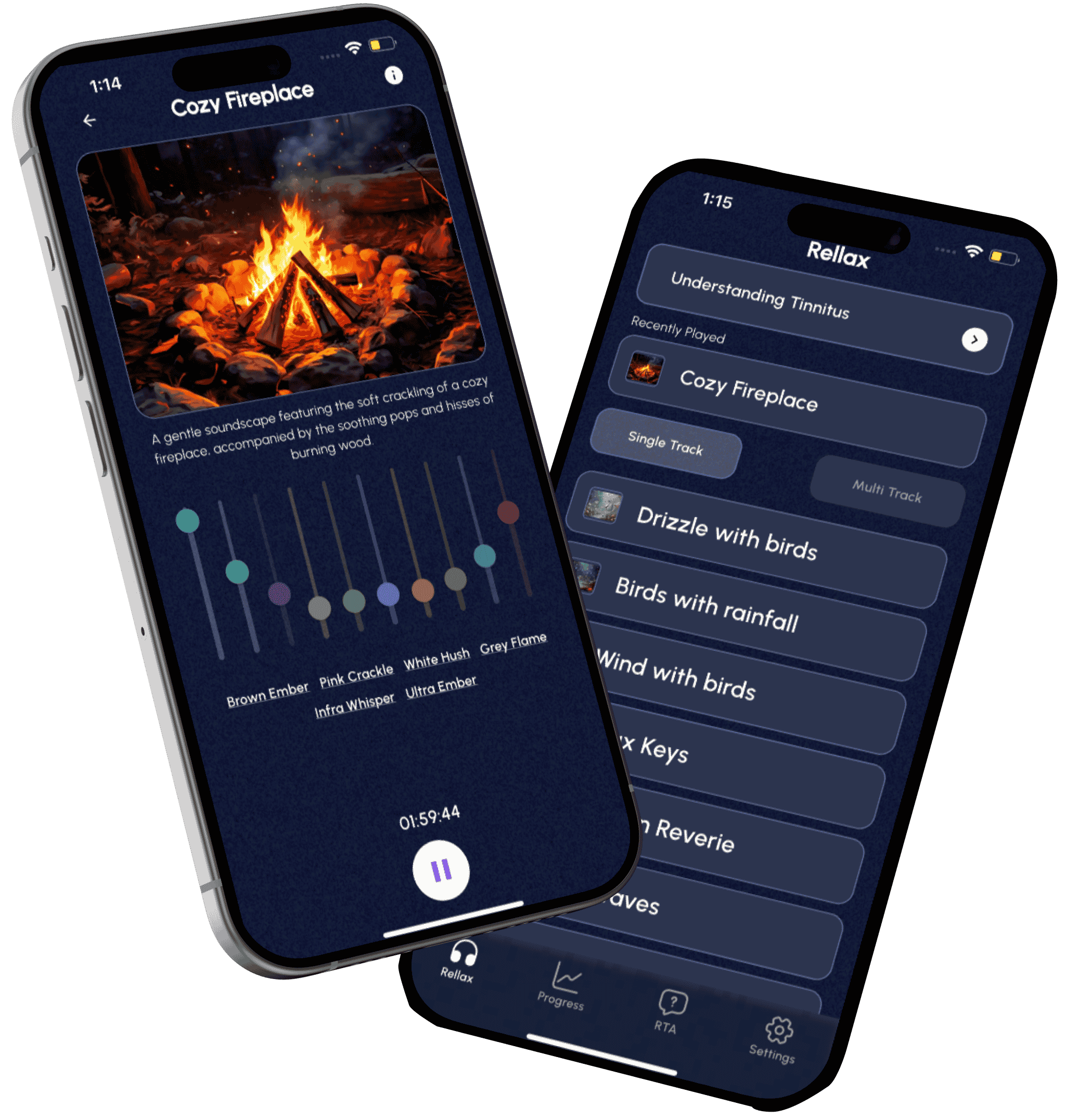
Rellax is designed to complement the tinnitus care you already provide. When introducing it to patients, position it as a structured tool they can use between visits to stay engaged, track progress, and feel more supported throughout treatment.
You might explain it this way: Rellax is a tool you can use between visits to support the treatment plan we’ve discussed. It gives you guided sound therapy, helps track your progress over time, and allows us to stay connected to how things are going.
Patient
- Present Rellax as part of your existing treatment approach
- Keep the explanation simple and patient-friendly
- Emphasize support between visits
- Use follow-up appointments to review progress together
Team Reminders
- Keep the language simple and reassuring
- Position Rellax as part of the care plan, not as a separate program
- Reinforce that it is meant to be used between visits
- Let patients know you will review progress together over time
Rellax is a tool you can use between visits to support the treatment plan we’ve discussed. It gives you guided sound therapy, helps track your progress over time, and allows us to stay connected to how things are going.
Rellax is something you’ll use between visits to support the plan we’re putting in place. It helps you stay engaged with treatment, track your progress, and gives us more insight into how things are going.
You can let patients know that your team will help them get started and that you will review progress together over time. The broader clinic materials also include training resources for helping a patient log in for the first time and for navigating Rellax with a patient during early use.
How Often Do I Need to Do the Treatment?
Every day for 1 to 2 hours.
What Is the Blend or Mixing Point?
The blend or mixing point is where the level is still noticeable and the stimulus is heard as well, meaning you can hear both the tinnitus and the stimulus.
Will My Data Be Shared?
Your information is shared with your provider as part of your care through Rellax. If you have questions about privacy or how your information is handled, your provider can explain how it is managed in their practice.
Does This Work With Every Phone?
Rellax works on both Apple and Android phones.
Is There a Cost to Download the App?
No. There is no cost to download the app.
Do I Have to Pay for This?
That depends on how your provider has set up access to Rellax. Your provider will let you know whether there is any cost to you.
Training & Support
Training and Support for Your Team
You do not have to figure everything out on your own. Rellax onboarding is designed to help your team get started with practical guidance, training resources, and direct support when questions come up.
Review the provider training resources
Schedule time for onboarding support if needed
Reach out with workflow or portal questions
Use the Clinic Guide as your central getting-started resource
Need Help Along the Way?
Ready To Begin?
Ready to Get Your Clinic Up and Running?
Take the next step by accessing your provider portal, reviewing the training resources, and beginning with your first patients. Rellax is designed to make it easier to support tinnitus care between visits with a workflow your team can manage confidently.